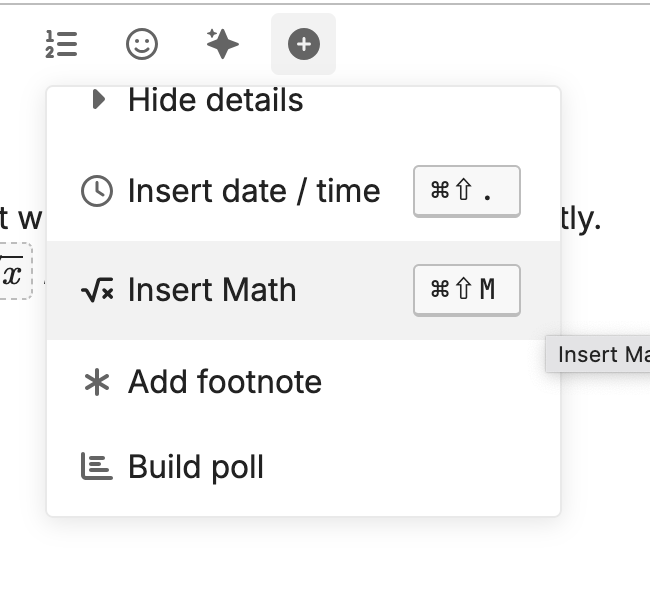
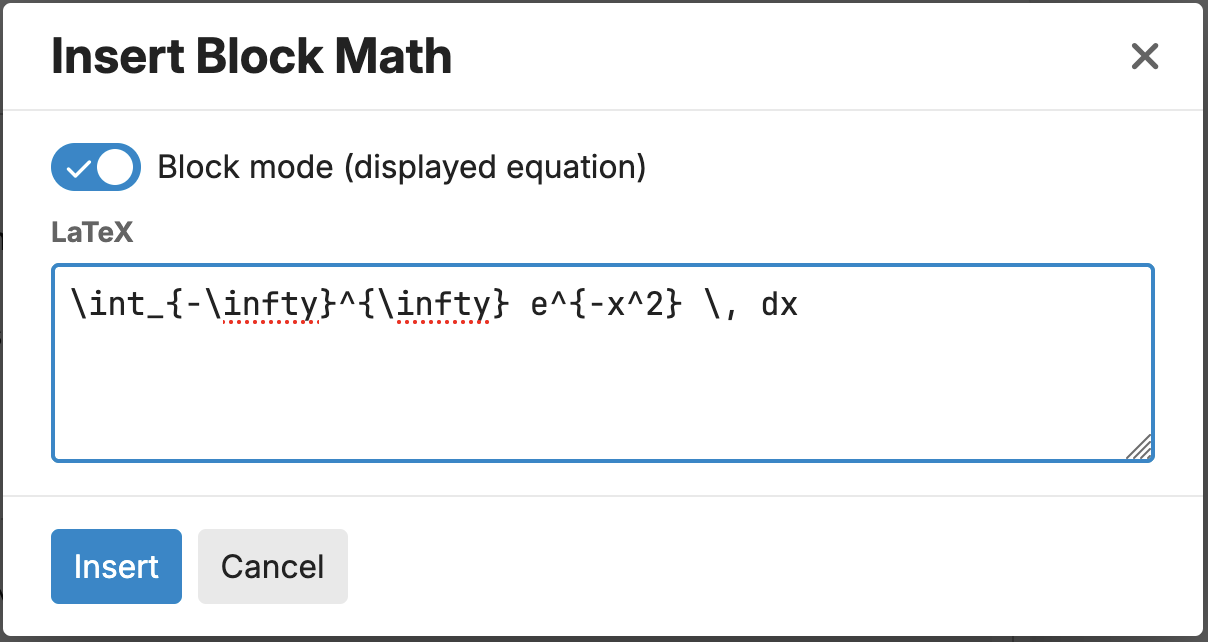
Discourse at Mark's Math uses LaTeX snippets to input mathematics. This approach is very common among tools that aim to communicate mathematics. Thus, a very similar approach is taken by tools as diverse as Math.StackExchange (a forum), Obsidian (note taking software), Jupyter (a computational notebook), and more.
The basics of LaTeX
The LaTeX representation of some rather simple expressions are pretty close to what you'd expect, like
$x^2$for x^2 or$\sin(x^{12})$for \sin(x^{12})
Already, though, we can see necessary evils like
- dollar sign
$delimeters$, - backslash
\escapes, and - braced
{grouping}.
Things get a bit more complicated as we move to formulae like
which can be written in LaTeX as
$$\int_{-\infty}^{\infty} e^{-\frac{1}{2} x^{2}} \, dx = \sqrt{2\pi}$$
There are some general principles, though:
- Generally, mathematics is dollar-sign delimited:
- single dollars for inline math like
$\sin(x^2)$for \sin(x^2) or - double dollars for display math like
$$\int \sin(x^2) \, dx$$for
- single dollars for inline math like
- Functions and commands are indicated with a preceding backslash like
$\pi$for \pi,$\infty$for \infty,$\cos(x)$for \cos(x),$\frac{1}{12}$for \frac{1}{12},$\sum$for \sum, as in
Forum assistance
There are a couple of built in ways to get assistance on typesetting Latex expressions.
Finding code for given expresssions
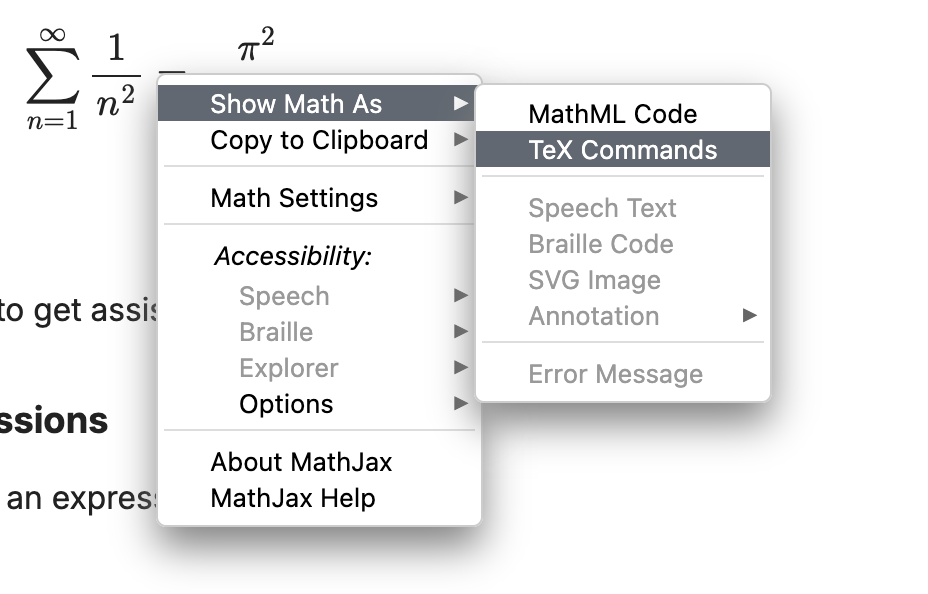
You can cntrl-click or right-click on an expression to pull up a contextual menu to get all sorts of information on that expression - including the LaTeX source that produced it. If you try that for the expression above, for example, you can find the Show Math As > TeX Commands menu item like so:
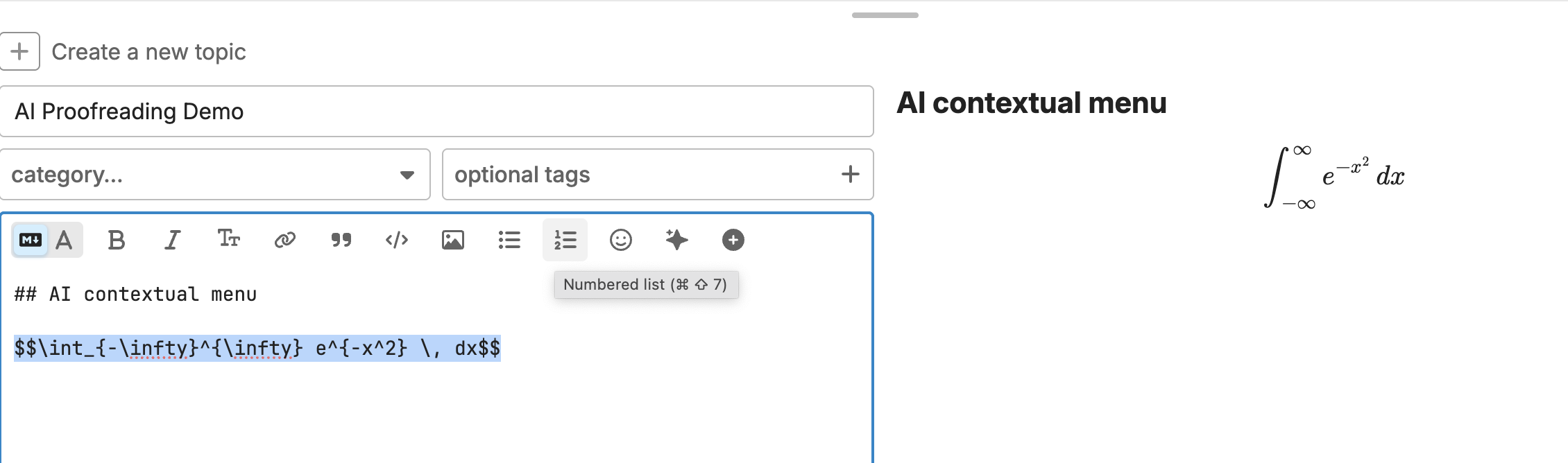
The AI contextual menu
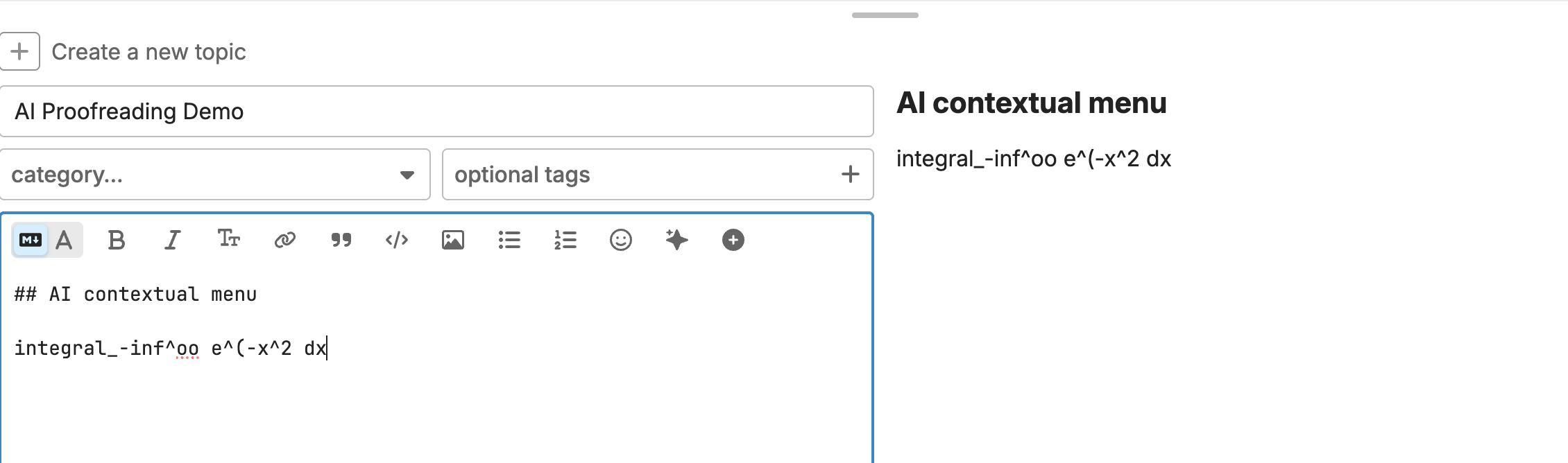
The AI contextual menu  provides access to a proofreading tool that focuses on mathematical content in particular. You can use it to assist with your LaTeX typesetting.
Suppose, for example, that you type in
integral_-inf^oo e^(-x^2 dx
This might seem close to right but, really, isn't proper LaTeX, nor even syntactically correct. If you process it through the proofreader, though, you get
$$\int_{-\infty}^{\infty} e^{-x^2} \, dx$$
which typesets beautifully!
Here are a couple before after screenshots:
 to access the